
Why it exists
I use a Line 6 HX Stomp in a home studio as well as during gigs. In USB interface mode the unit ends up wherever the cable reaches, which is rarely within reach of a foot. I prefer keeping in on my desk. I’d been working around it with a Bluetooth MIDI controller and a phone app, but my laptop is already on, so a native desktop app was the obvious answer.
It covers preset navigation, the tuner, footswitches and snapshots. Deliberately narrow scope: do one thing well rather than grow into a tool that becomes its own source of friction.
Currently on Version 1.0.1
A fully changelog and details are available within the repo.
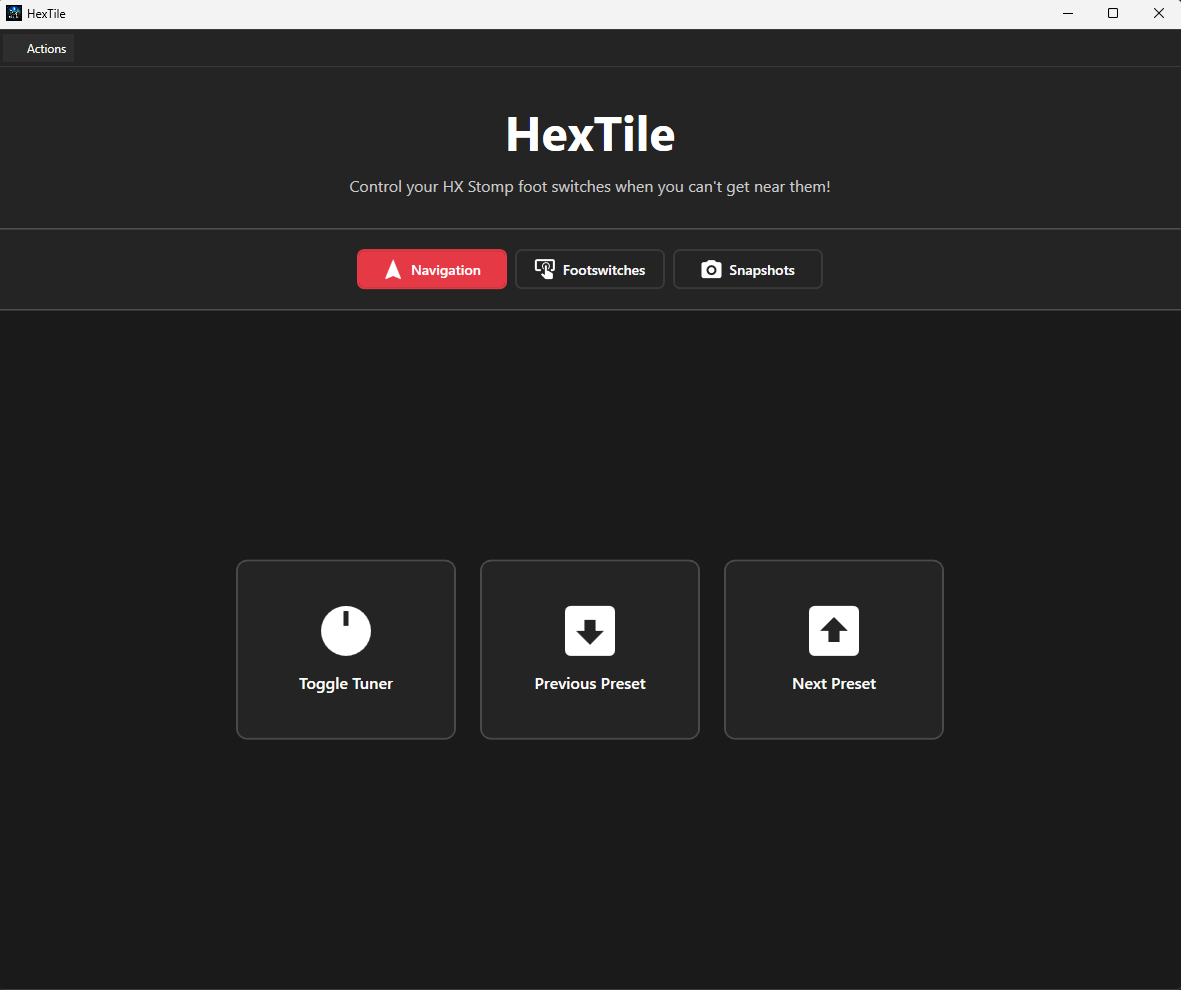
HexTile is a desktop application that allows you to control your Line 6 HX Stomp or HX Stomp XL device via USB MIDI.
Plug your USB cable into your computer, launch HexTile, and you can control your device’s footswitches, snapshots, tuner, and preset navigation from your computer screen. The application doesn’t NOT have access to change any of your device’s settings, presets or any configuration. It’s purely a utility to send MIDI commands via USB to your device. The functionality is simiilar to using a MIDI foot controller, but instead of physical footswitches, you use buttons on your computer screen.
If all the talk about MIDI sounds confusing, don’t worry - HexTile is designed to be easy to use and requires no prior knowledge of MIDI. The goal of HexTile is to provide a simple and effective way to control your HX Stomp device remotely in a plug and play manner. All future improvements and features will not be at the detriment of this goal.
Logs are saved to logs\hex_tile_log_{DATE}.log for troubleshooting purposes. These are just text files and can be opened with any text editor. The key thing the logs provide is insight into is if your device is being detected by HexTile and if MIDI commands have failed to be sent.
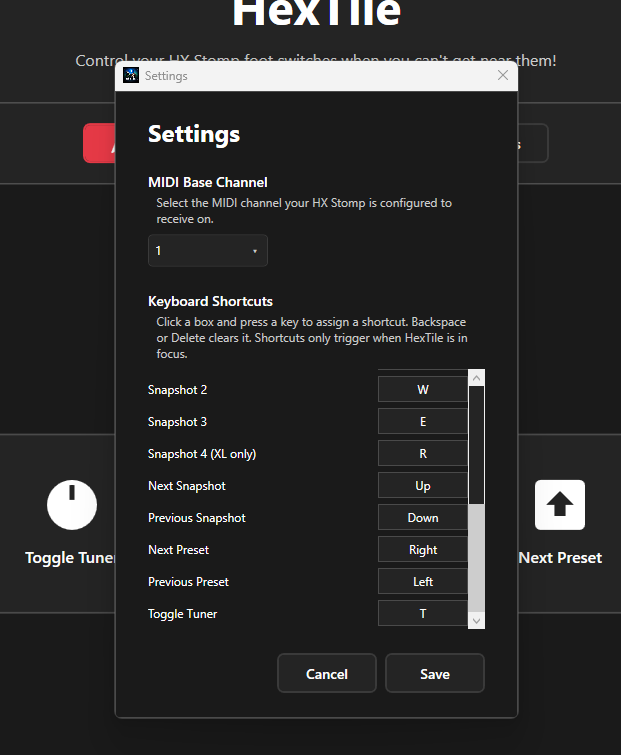
There is also a few settings that let you change the default MIDI Base Channel and the keyboard shortcuts for easier interactivity.
Limitations
- Windows only application
- Requires a Line 6 HX Stomp or HX Stomp XL device (naturally…)
- Requires the device to be connected via USB to your computer
- Requires your global settings (MIDI/Tempo) to have:
- MIDI Base Channel set to match the channel configured in HexTile’s Settings (default: 1)
- USB MIDI set to On
- Some features may not be available depending on your device model. The below are only available on HX Stomp XL:
- Footswitches 6 - 8
- Snapshot 4
- Unfortunately it appears that HX Stomp devices do not support identity requests via USB MIDI so automatic detection of whether you have the XL model or not is not possible.
- Because these MIDI commands are fire and forget, there is no way for HexTile to confirm that your device has received the commands it sends.